Every AI feature — recognizing a face in a photo, answering a typed question, flagging a defective part — runs somewhere. Either on a distant server you rent by the click, or on a small computer you own. The edge AI vs cloud AI cost choice decides your bills, your response times, and who else sees your data.
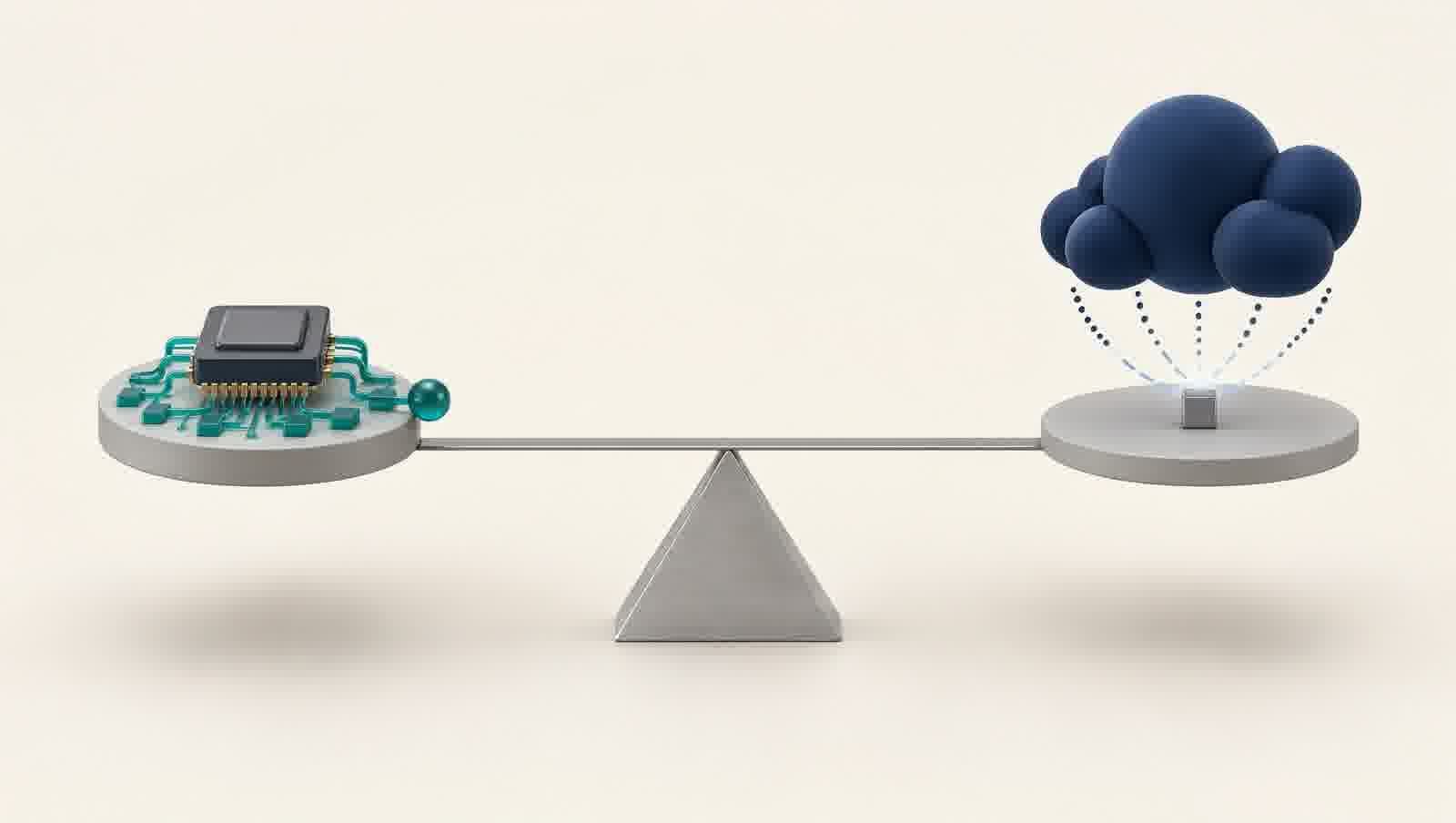
This guide walks through what each option really charges, how fast it answers, and what it costs in privacy — so a student with a single board or a startup shipping a product can choose clearly.
Cloud and edge, in plain terms
The cloud is a network of powerful computers you rent over the internet. The edge is computing that happens close to the action — in a shop, a factory, or a robot. They are not rivals; they are two places to do the same job.
That job is called inference — the moment a trained model looks at new data and produces an answer, such as “this photo contains a cat.” Think of a chef who has learned her recipes: inference is cooking, not learning to cook.
Cloud providers sell inference by the request, through an API — an application programming interface, a standard doorway software uses to ask a distant service for help.
Two billing words matter first. Per-image means every single photo you send is charged separately, like a phone call billed per minute. A free tier is an allowance that costs nothing, usually for a limited time or a limited volume.
The cost question: edge AI vs cloud AI cost
Cloud pricing is built around per-image charges. Google’s Cloud Vision service charges $1.50 per 1,000 label detections — requests that identify what is in a photo — after 1,000 free detections a month. Amazon’s Rekognition service is similar, with a free tier of 1,000 images a month for 12 months.
A camera processing 50,000 images a month would use up the 1,000 free ones, then pay about $73.50 — roughly $880 a year — and that repeats forever.
Edge hardware inverts this. A board with an AI chip is bought once, and its cost does not grow with usage. The only question is time: how many months of cloud bills equal the price of the hardware? AegisAI’s guide to running language models locally on a Jetson Orin Nano shows what mid-range boards cost and can do.
Latency: speed you can feel — or crash on
Latency is the delay between asking and answering. In the cloud, that delay includes a full round trip: the image travels to a data centre, gets processed, and travels back.
A 2025 survey of edge-first language models, accepted at an IEEE conference, found these round-trip times “non-negligible” for real-time or mission-critical applications. It also flagged that rate limits — caps on how many calls you may make — or server overloads can slow cloud services down.
For a photo archive tagged overnight, a second or two of latency is harmless. For a robot arm that must stop before it hits something, or a machine that must reject a bad part the instant it passes a sensor, waiting for a round trip is not an option. Edge computing answers where the question is asked, so the delay shrinks to almost nothing.
Privacy: who else sees your data
Every image or prompt sent to the cloud travels across the internet to a provider’s servers. The same survey notes that user prompts “may be logged or used for model training.”
In some industries this matters more than others. Medical images, customer faces, payroll documents, and factory layouts are data that laws increasingly require to stay inside a building or a country. Sending them abroad — to be processed and possibly stored — can be a legal problem, not just a comfort problem.
Nothing leaves the device, nothing is logged by a third party, and the privacy argument ends there.
The hybrid pattern: small models on site, big models on call
The strongest answer is a combination: run a small language model (SLM) — a compact AI model that fits on modest hardware — at the edge for routine and urgent work, and escalate hard questions to a large language model (LLM) in the cloud. LLMs are the giants behind chatbots; SLMs are their smaller, faster, more private cousins.
The same IEEE survey found edge models can match cloud quality on many routine tasks at lower cost — and that the cloud remains essential when a problem outgrows a small device.
The key component is an NPU — a neural processing unit, a chip designed specifically to run AI models efficiently. NPU speed is quoted in TOPS — trillions of operations per second — and small boards now carry enough for real work.
A 2026 academic benchmark, Edge-LLM-Bench, tested billion-parameter language models on a Raspberry Pi 5 with a Hailo-10H NPU — the first discrete accelerator under five watts able to run such models on a commodity single-board computer. The finding: the NPU did not generate tokens faster than the CPU for small models, but it cut total system power by 51 percent and freed the CPU and memory for other work.
The lesson: edge AI is not about winning a speed race. It is about getting answers on site, on a small power budget, while leaving the board free for the rest of the system.
A four-question decision framework
Four questions settle most decisions.
| Factor | Cloud (call an API) | Edge (run on device) |
|---|---|---|
| Cost per image | Cloud Vision ~$1.50 per 1,000 images after 1,000 free/mo; AWS Rekognition 1,000 images/mo free for 12 months | One-time hardware ~$50–$150; no per-image fees |
| Latency | Network round-trip adds delay to every request | Instant on-device inference, no network hop |
| Privacy | Raw data posted to server; prompts may be logged | Data stays on the device; nothing leaves locally |
| Offline | Requires an internet connection | Works fully offline |
| Model access | Large models, central updates, nothing to install | Smaller SLMs / quantized models on the device |
| Best for | Back-office, batch jobs, heavy compute | Real-time control, privacy-sensitive, offline use |
1. Volume. A few thousand images a month may fit inside free tiers. Millions a month turn per-image pennies into a permanent bill — the point where one-time hardware wins. Google’s Cloud Vision pricing page is a useful reference for your own numbers.
2. Latency budget. If the answer is needed in milliseconds, compute at the edge. If seconds are acceptable — tagging an archive, for example — the cloud is fine.
3. Privacy and regulation. If data is sensitive or regulated — medical, biometric, financial — keeping it on site removes an entire class of risk.
4. Operations. The cloud means no hardware to maintain; the edge means you own and maintain it. Small teams may prefer the first; products at scale, the second.
There is no universal winner. The winner is the pattern that matches the workload — and increasingly, that pattern is both.
For the math-minded — the monthly cloud bill
Monthly cost = ((images per month − 1,000 free) ÷ 1,000) × $1.50
Example — a camera processing 50,000 images a month: 50,000 − 1,000 = 49,000 billable images 49,000 ÷ 1,000 = 49 blocks 49 × $1.50 = $73.50 per month
Break-even: months to pay off edge hardware = one-time hardware cost ÷ monthly cloud bill